


The 150,000 line weekend
The best vibe coding practice is simple to say and hard to do, especially for those who are non-technical. Let AI write the code, but never let it make the decisions an engineer should make, without your understanding. We learned that the expensive way, so we sat down in public to unpack it… and boy did I learn a lot. You should too.
Over one weekend I (CloseBot CEO and co-founder Bryce DeCora) ran Claude Code from Saturday morning to Sunday night building an internal assistant for our MCP work. It produced roughly 150,000 lines of backend code. On Monday, I handed it to Brendan Hansen, our senior backend developer, with an apology and a question. How hard would this be to get into production?
“How hard would this be to get into production?” – Me to Senior Developer
Brendan’s review immediately found a file that nothing should ever touch, a new server that would have added about $1,000 a month in hosting, and comments making up close to 30% of the non-migration code. After a targeted refactor, the change shrank from 150,000 lines to about 17,000.
That review sparked our first Vibe Coding Fireside. Enough found it useful that it definitely won’t be our last… so make sure you sign up for our newsletter below to attend the next one live.
The live audience looked like a bell curve: a few total beginners, a big middle of vibe coders shipping real projects, and a small group who put code into production before AI. Every lesson below is something Brendan has seen in a real codebase that handles real customer conversations… With me and others trying to get vibe-coded changes reviewed.
Who is Brendan? He started programming at about 10 years old. During the COVID lockdown he wrote his own programming language, Onyx, from scratch. He now uses it as a private benchmark for new AI models, because no model has seen enough of it in training to fake its way through. He also studied alongside the cybersecurity track in college, which shows in how he thinks about attacks.
1. Make infrastructure and cost decisions yourself
AI coding tools are weakest at infrastructure, so never let one decide where new code runs or what it costs. In my session, one early sentence did the damage: “make sure these are separate from the messages that are happening in production.” I meant don’t let it take down live traffic. The AI read “separate” literally and built a brand new project on a brand new server.
On Azure, with the reliability, compliance, and HIPAA requirements a production platform carries, that server would have cost about $1,000 a month. It would have served a tiny fraction of the traffic our production messaging handles. The right move was to reuse infrastructure we already pay for.

Brendan’s explanation for why this keeps happening comes down to training data:
- Public code is mostly average. Models learn mainly from public repositories, and a lot of public code is first projects and experiments rather than production systems.
- Infrastructure as code is young. Defining cloud resources in code has only been common for about a decade, so there are fewer examples to learn from.
- The best infrastructure is private. Google, Amazon, and Microsoft don’t publish how they host their hardest workloads, so models rarely see great examples.
Best practice: state cost and hosting constraints explicitly at the start of a session (“do not add new infrastructure; reuse the existing API server”), and have a person who understands your cloud bill approve any new resource. Because models are very goal focused, an explicit cost goal helps. A cost-estimation tool connected to your agent can help too.
2. Don’t trust green tests on their own
A passing test suite proves the AI hit the target you gave it, not that the code is good. Machine learning has always worked by minimizing loss: finding the parameters that get as close as possible to the expected answer. Coding agents behave the same way. Tell one to make every test pass and it will, taking whatever shortcuts it needs.
The risk is overfitting, a problem AI researchers have fought for decades. The code works for exactly the cases you tested and breaks when a new one shows up. Then the agent has to rethink everything, and it often reaches for the same shortcut again.
Brendan also flagged a quieter cost: verbosity. Models will write a 10 line comment for a two line function. Good code should read clearly without comments, and every extra line eats context the model needs later (more on that next).
Best practice: treat tests as a floor. Have a person read the parts where logic matters, like any calculation, permission check, or data write. Ask the agent to keep comments short and only where the code can’t explain itself. You can put persistent information like this inside of the Agents.md file for it to read consistently… but keep in mind it may drift toward longer comments again as your thread gets longer.
3. Know where AI starts to struggle: about 50,000 lines
Past roughly 50,000 lines of code, an AI agent can no longer hold your whole project in mind, so it starts copying patterns instead of reasoning about the system. Brendan walked through the rough math live:
| Step | Estimate |
|---|---|
| Context window of a large current model | about 1,000,000 tokens |
| Average tokens per line of code | about 10 |
| Lines that fit with nothing else loaded | about 100,000 |
| After system prompt and tools (about 20%) | about 80,000 |
| After the model’s own output, web searches, and tool results | about 50,000 |
These are back of the envelope numbers, not a spec, but the conclusion holds. A 150,000 line change cannot fit in context, and code bloated with comments makes the ceiling arrive sooner.
The upside is that agents copy what they see. If your codebase has one solid, hand-checked example of how a feature should be built, the AI will rubber stamp that pattern everywhere and only change the details. That’s why Bryce called starting CloseBot V2 on a strong base one of the best decisions we made.
That’s why CloseBot’s infrastructure build, which spanned 1 year without AI-influenced code, one of the best decisions we made.
Best practice: build (or hand-write) one reference implementation per feature type before you let an agent scale it out. Point the agent at that file by name in every prompt.
4. Pick a statically typed language
The best language for vibe coding a backend is a statically typed one with a big community, like C# or Java. CloseBot V1 was written in Python; V2 runs on C# and .NET, and the difference in how AI behaves is a big reason why.
In a weakly typed language like Python, a variable can hold text one moment and a number the next. An AI sees text, writes code that treats it as text, and the program blows up when a number arrives. The only way to find that bug is to run the code, and if your tests miss it, production finds it for you.
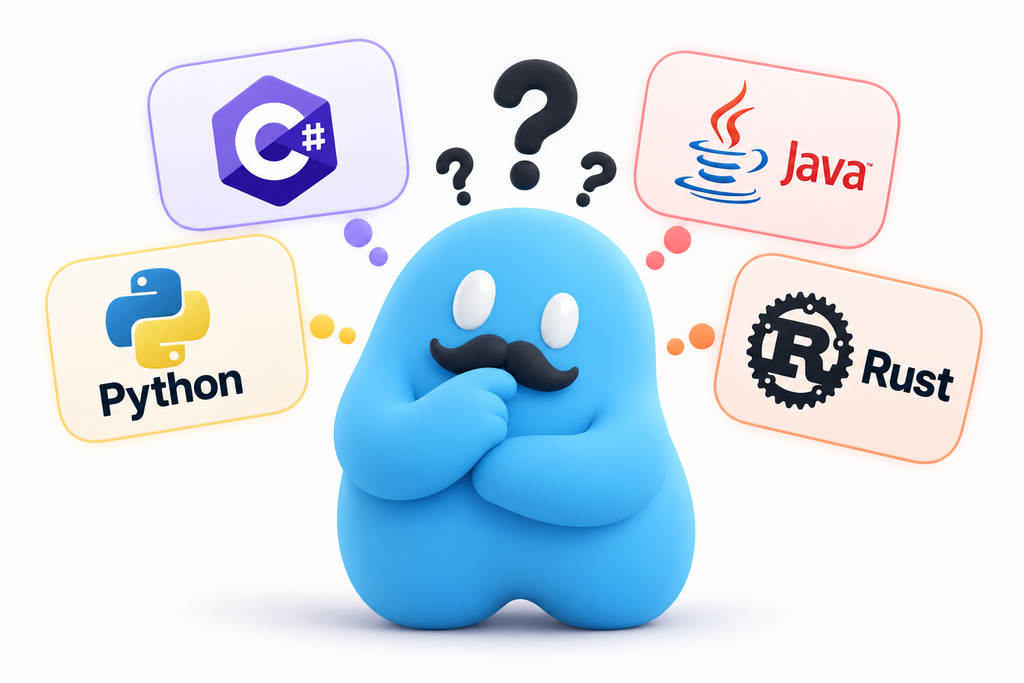
A statically typed language checks every type before the code runs. The compiler gives the AI deterministic feedback: this is wrong, fix it. Brendan’s point is that AI needs to be grounded in reality, and a strict compiler is what makes agentic coding loops work at all. He expects new languages whose compilers flag code that technically works but is bad form.
| Language | Verdict for AI-assisted backends |
|---|---|
| C# | Brendan’s pick. Typed, fast to compile, huge library ecosystem. CloseBot runs on it. |
| Java | Also strong, but decades of outdated examples in training data can mislead models. |
| Rust | Viable if AI writes nearly everything: a very strict compiler and modern examples. Hard for people to read, and slower compiles slow the agent’s feedback loop. |
| Python | Riskiest for production AI code: type errors only show up at runtime. |
Rust’s case got a real-world test this year. Bun, the JavaScript runtime Anthropic acquired in December 2025, was ported from Zig to Rust in 11 days using a fleet of Claude agents in parallel. Even there, critics noted the port shipped with more than 10,000 unsafe blocks, which undercuts the memory safety that is Rust’s main selling point. To be clear, CloseBot is not being rewritten in Rust.
5. Vibe coding security risks you can’t prompt away
You cannot make an app secure by typing “use security best practices, make no mistakes.” The research agrees. Veracode tested more than 100 language models on 80 coding tasks and found AI introduced known vulnerabilities in 45% of cases, with no improvement from newer or larger models. Java scored worst, failing security checks more than 70% of the time.
Bryce compared security to US tax law: you can’t be 100% compliant and you can’t be 100% secure. There’s too much complexity, and nuance. Every app is different, and the AI can’t know which of your endpoints are public, which are internal, and who should reach what unless you tell it. When Bryce’s assistant code went to review, it had documented internal endpoints the public had no reason to see.
- Don’t build your own authentication. CloseBot uses Clerk. Your password never touches a CloseBot server; Clerk verifies who you are and hands back a token our API can validate. There are too many ways to get auth wrong to hand-roll it.
- Rate limit every endpoint. Without it, a few machines sending thousands of requests a second can overload your database and take the app down. Good indexes don’t save you from a denial-of-service attack.
- Hide everything you can. A login error should say “invalid email or password,” never “wrong password.” The second version confirms to an attacker that the email is real.
- Keep secrets out of the front end. Anyone can right-click and inspect what runs in a browser. API keys, cloud credentials, and real logic belong on a backend server behind scoped tokens.
- Assume bots are already scanning you. CloseBot’s error logs show constant automated requests guessing where a secrets file might live. One misplaced environment file is all they need.
That last point isn’t hypothetical.
A friend of the team built a personal photo-upload page for his wedding with no backend, so his AWS credentials sat in the browser. Bots found them and spun up servers to mine crypto on his account. AWS may forgive a bill like that, or it may not.
How do you know when your app is secure? There is no green flag. Security is risk tolerance: prove with tests, or a third-party audit, that you’re covered for the known attacks, and accept that something unknown remains. Be careful asking AI to audit itself, too. Ask it to find problems and it will always find some, even when they aren’t real. Bryce saw this with an SEO audit that urged redirecting an old API domain, until a follow-up question revealed its backlinks were junk that would have hurt the main site.
6. Refactor in stages, with pointed instructions
AI agents slide back into old patterns during a refactor because your old code is literally in the prompt. Agents read files from your project into context, and there’s no reliable way to tell a model “this is bad code, don’t copy it.” Prefixing a block with “bad example:” doesn’t mean the model treats it as one. An attendee asked about exactly this, and Brendan’s answer was candid: there’s no perfect fix yet.
What does work is being specific. To shrink Bryce’s 150,000 line change to about 17,000, Brendan gave Cursor five pointed instructions, including: move the functionality in this folder to that folder and rewrite the code to fit, squash the database migrations, and reuse this existing infrastructure component instead of creating a new one.

For bigger refactors, think like an engineer and plan a multi-step migration instead of a one-shot rewrite:
- Have the agent build the new system in its own folder while the old one stays in place.
- Make the tests pass on the new system.
- Move each caller from the old system to the new one.
- Delete the old system only after everything runs on the new one.
That’s how large software teams have always done it. The Bun port followed the same idea: before any code was written, its creator spent about three hours with Claude mapping Zig patterns to Rust and split the job across dozens of agents working on independent files. Even then, the first pass didn’t compile. The engineering judgment, not the prompt, is what made it work.
7. Own your code and your hosting
If you’re building software a business will run on, don’t let a vibe coding platform own it. Tools like Lovable and Replit can build and host an app in one click, and that convenience is the risk. If the platform raises its price five times over, your options are to pay or rebuild from scratch.
Brendan extends the same caution to coding agents themselves. A product that only exists because you keep spending tokens is exposed if a model provider raises prices, and hiring developers to take over unfamiliar AI code usually costs even more. His rule: own your stuff, so that if any one tool disappears, you’re not stuck.
Bryce added a useful test for when buying beats building. A one-click app builder holds no intellectual property or data that makes your app better, so building it yourself in Claude Code or Cursor loses you nothing. A platform that learns from scale is different. CloseBot responds to over 125,000 messages a day, and that volume shapes how our agents qualify leads and book appointments. Rebuild that in-house and you give up the learning, not just the code.
A platform that learns from scale is different. CloseBot responds to over 125,000 messages a day, and that volume shapes how our agents qualify leads and book appointments
8. Use vibe coding as a Figma replacement, not a senior developer replacement
The healthiest role for vibe coding on a real team is the working prototype. Bryce stopped hand-writing code about a year and a half ago, when work on the Python V1 ended, and I have never written C#. He’s also very particular about how things should look and what data they should pull.
Brendan put it kindly: Bryce is a visual person who doesn’t write technical documentation. A clickable, working prototype tells the dev team exactly what he wants in a form they can review and use. The team used to spend hours mocking screens up in Figma; now it’s often faster to vibe code an interactive version that should never ship but is perfect for testing an idea.
The tradeoff is expectations. Reviewing code is much less fun than writing it, and a founder can produce code faster than any team can review it. Bryce’s working rules now:
- Hand over prototypes as a spec, with permission to scrap every line.
- Drop “it works, let’s ship it tomorrow.” A two week rewrite is normal.
- Break big ideas into pieces, knowing even pieces can be large. Each part of our analytics launch (sentiment, A/B testing, reports, dashboards, conversation page updates) was roughly 10,000 lines.
The same discipline applies to general purpose AI assistants. Brendan rarely uses them. Once you understand how large language models work, it’s easier to see what they will and won’t do, and a focused tool for one job usually beats a do-everything bot.
Why a production AI company is this careful
CloseBot is an AI sales agent that answers and books appointments for businesses around the clock, so a shortcut in our code becomes a missed lead in someone else’s revenue. That’s why everything above is a habit for us, not a talking point.
Bryce’s first real work with Brendan was a V1 outage: the database hit 100% CPU, customers were messaging that their bots weren’t responding, and Bryce, self-taught at the time, had no idea where to start. Brendan’s first question was whether there were proper indexes. There was one, on the ID column. It got fixed fast, and the experience shaped how we build today.
That production-first mindset shows up in CloseBot’s own product decisions too
- Text over voice, on purpose. Text conversations give our agents time to think before replying, and our infrastructure is tuned for reply quality rather than split-second voice latency. Doing voice well would mean duplicating the stack and splitting focus.
- Shipping only what tests well. We trial new models constantly in our backend testing, and a model only reaches customers when it beats what’s live. One example is the separate model we use for sentiment analysis, while tool calling stays with the main agent to keep things simple. More moving parts means more ways to break.
- Mid-thought messaging. Our newest release lets agents send a message while still working, the way a person says “one sec, checking the calendar.”
- Reporting built for scale. The unified inbox and sales agent analytics are designed to stay fast across thousands of conversations a day.
If you want an AI sales agent built by people who review every line that touches your leads, see how CloseBot works. For more on building agents well, read our AI sales agent best practices.
Vibe coding best practices checklist
- State cost and infrastructure limits at the start of every session.
- Have a person approve any new server, database, or paid resource.
- Read the logic that matters yourself; don’t stop at green tests.
- Keep comments short so the model keeps more of your code in context.
- Build one reference implementation per feature type before scaling with AI.
- Use a statically typed language for production backends.
- Use a proven auth provider, rate limit every endpoint, and keep secrets off the front end.
- Get a human or third-party security review before launch.
- Refactor in stages with specific, pointed instructions.
- Own your code and hosting so no single vendor can hold your product hostage.
Frequently asked questions
No. It’s a powerful way to prototype and to ship faster with an experienced reviewer. It becomes a problem when AI-written code goes to production without anyone who understands infrastructure, security, and architecture checking it.
It can be, with guardrails. Research from Veracode found security flaws in 45% of AI-generated code samples, so plan on proven authentication, rate limiting, secrets kept off the front end, and a human or third-party security review.
Exposed credentials in front-end code, hand-rolled authentication, missing rate limits, error messages that leak information, and internal endpoints that end up publicly documented.
A statically typed language with a big community, such as C# or Java. The compiler catches type errors before the code runs and gives the AI clear feedback. Rust works well if AI writes nearly everything, but it’s harder for people to review.
By Brendan’s estimate, around 50,000 lines. Past that, the model can’t hold the whole codebase in context and leans on patterns it sees, which is why one clean reference example matters so much.
They’re fine for prototypes and internal tools. For a product your business depends on, own the code and hosting so a price change can’t force a rebuild.