


How to build an AI agent that actually closes
Most people learn how to build an AI agent by writing one unorganized wall of text and hoping. That works until a lead says something off script, and then the agent books the wrong calendar, skips qualification, or keeps texting someone who should have been dropped. The fix usually isn’t more bots. It’s better structure.
In CloseBot, one agent can run your entire sales conversation. You organize its instructions into titled prompt sections, switch on the tools it’s allowed to use, and it handles qualification, questions and booking on its own. If a build ever needs a hard handoff, like booking that should only unlock after payment, the agent can pass the lead to another agent through an exit. Most builds never need one.
Below are three AI agent examples, from simple to complex, built the way CloseBot works today. If you want the strategy behind these builds, start with our AI sales agent best practices.
Level 1: A simple AI agent for lead qualification
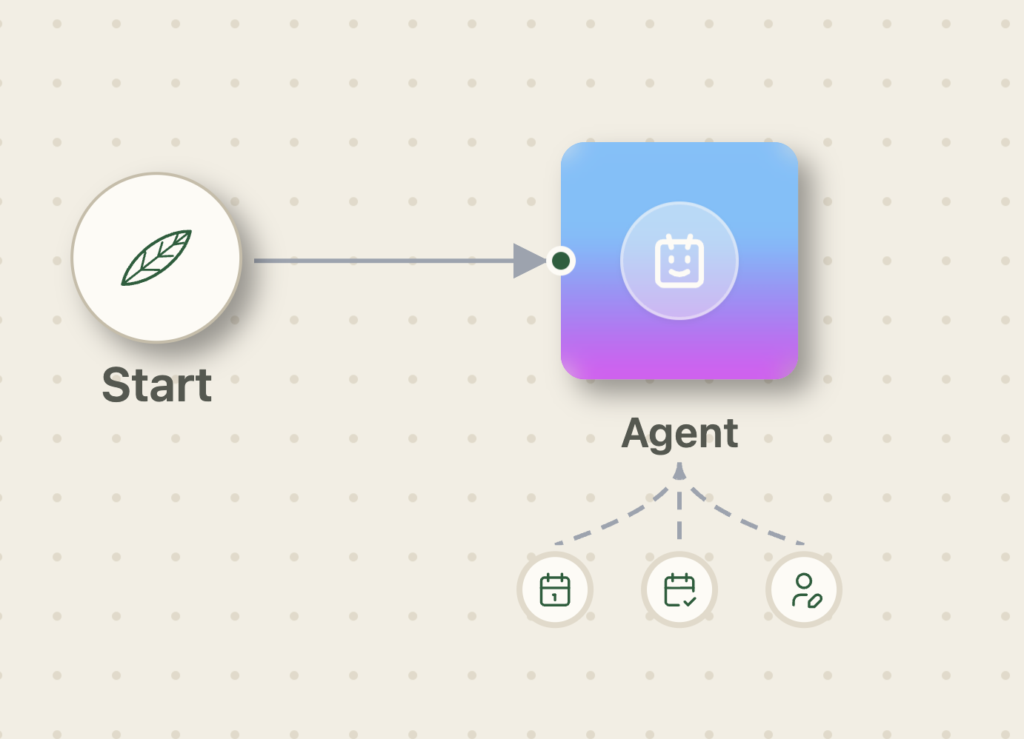
This is where most agencies and businesses start: light lead qualification, then a booked appointment. In CloseBot it’s one agent in the simple builder, and you can build it in a few minutes.
The simple builder wires one source (your GoHighLevel or HubSpot connection) to one agent. It also writes the global prompt for you from your connected source’s fields, so the agent already knows the business context.
Here’s the whole build:
- Prompt section: “Find out what they need, then offer times and book one. We need their first name, email and phone before booking.”
- Tools: Update Contact, Check Appointment Availability, Book Appointments.
- Publish.
That’s it. The agent decides how to ask for the name, email and phone, so the conversation sounds natural instead of like a form. But it can’t skip them, because the prompt makes them a requirement for booking, and Update Contact saves each answer to the contact record as it comes in.
This is the core of lead qualification AI done right: free-thinking conversation on top of fixed requirements.
Level 2: A chatbot conversation flow with paths and conditions
When different leads need different conversations, it’s tempting to build a separate bot for each one. In CloseBot you usually don’t need to. One agent with a bigger, well-organized prompt handles it cleanly.
Take a gym. Leads join for different reasons, and each reason gets a different conversation and a different calendar:
| Reason for joining | What the agent asks | Where they book |
|---|---|---|
| Weight loss | How much weight they want to lose | Muscle and Weight Loss calendar |
| Muscle gain | How much muscle they want to gain | Muscle and Weight Loss calendar |
| Cardio | Nothing more, but a deposit is required first | Miscellaneous calendar, after payment |
| Anything else | Nothing more | Miscellaneous calendar |
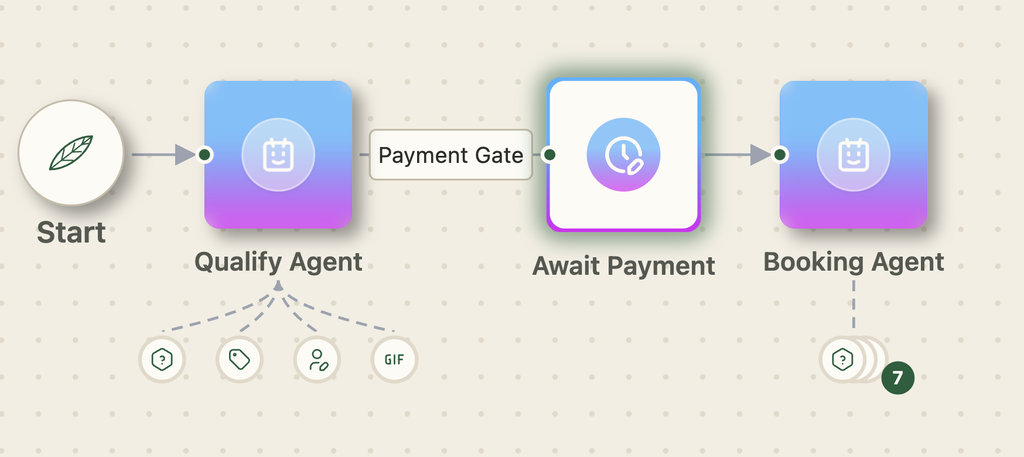
One agent, organized prompt sections. Give the agent a section for intake (name, email, phone and reason for joining), a section for each goal with its follow-up question, and a section that says which calendar each reason books on. Switch on Update Contact, Check Appointment Availability and Book Appointments. That’s your whole chatbot conversation flow, written as plain instructions instead of a maze of nodes.
Titled sections keep a long prompt reliable. The agent isn’t reading one run-on paragraph of rules. It’s reading clearly labeled instructions, the same way a new hire would read a playbook, and it decides how to ask each question so the conversation still sounds human.
The cardio deposit is where a handoff earns its place. Booking before payment should never happen, so don’t leave it to judgment. The main agent explains the deposit, and cardio leads don’t get booked by it. When your HighLevel payment workflow tags the contact as paid, an exit with a tag rule fires before the AI runs and hands them to a booking agent. Only that agent can book the Miscellaneous calendar for cardio leads.
If you’ve built bots before, you know how painful it is to swap between bots inside GoHighLevel or HubSpot workflows. Here the rule of thumb is simple: keep the conversation in one agent’s prompt, and add a handoff only where something must never happen early. Your CRM workflow only has to do one thing: tag the payment.
Level 3: A complex multi-path real estate AI agent
Some builds really are complex. A real estate team might need one AI agent to handle buyers, sellers, people doing both, and fast sellers who belong with a wholesaler. Here’s what it looks like if you try to do that with prompting alone:
Gather the contact’s name, email and phone number. This is mandatory before determining whether this person is a buyer, seller or both. If they are a buyer, tag them as a buyer before getting their budget. If they are a seller, tag them as a seller before getting their address. Then use the tool to get their property value. Then after you get their address and value, get their selling timeline. Do all of this as well if the person is a buyer and a seller. If we can’t tell whether they are buying or selling, stop responding. If they are buying and not selling, book on the realtor calendar. If they are selling and their timeline is further than two months out, also book on the realtor calendar. If they need to sell within two months, book on the wholesale calendar…
Good luck, AI agent. The problem isn’t the length. It’s the structure: ten conditions tangled into one paragraph, with booking rules the agent is free to ignore.
Rewritten as one agent with titled prompt sections, this works, and it’s where we’d start. Some teams still choose to split a build this size because some leads must never reach some calendars. Here’s what that looks like with handoffs:
- Intake agent: collects name, email and phone, then works out whether they’re buying, selling or both. It has four exits: Buyer, Seller, Both, and Unclear.
- Unclear: goes straight to a Stop Responding node. If the agent can’t tell what someone wants, it stops, which doubles as protection against spam and scams.
- Buyer agent: gets their budget, adds the “buyer” tag with the Update Tag / List tool, and books on the realtor calendar.
- Both: runs the buyer questions first, then exits to the seller agent instead of booking.
- Seller agent: adds the “seller” tag, gets the property address, pulls the value with the Get Property Details tool, then asks for their selling timeline.
- Timeline routing: sellers who need to move within two months exit to a wholesale booking agent. Everyone else exits to the realtor booking agent.
Each agent has a focused prompt and only the tools its job needs. The seller agent can look up property values, but it can’t book. The booking agents can book, but only on their own calendar. That’s how you get a complex agent that behaves predictably at volume.
Need data from your own systems? Any agent can call a custom tool or an MCP server, hit your endpoint, and hand the response back into the conversation.
FAQ
What is CloseBot? CloseBot is an AI sales agent and appointment-setting platform that connects to GoHighLevel and HubSpot. It qualifies leads, books appointments and follows up over the channels your CRM already uses.
What changed in CloseBot V2? V2 is built around the Agent node. Each agent has prompt sections, tools and exits, replacing the older single-purpose nodes. If you built on V1, Objective nodes become an agent prompt with Update Contact, Delay nodes become follow-up sequences or tag-rule exits, and booking and property nodes become tools on an agent.
How do I build an AI agent without code? In CloseBot, write what the agent should do in a prompt section, switch on the tools it needs, and publish. The simple builder handles one agent; the advanced builder connects several with exits.
Can an AI agent book appointments in GoHighLevel or HubSpot? Yes. Turn on Check Appointment Availability and Book Appointments, and the agent books directly on your CRM calendars.
When should I use more than one agent? When an agent shouldn’t have a tool yet (like booking before qualification), or when different leads need different conversations. Don’t add an agent just to hold more instructions; that’s what prompt sections are for.
Build your first AI agent
Whether you need a simple lead qualifier or a multi-path agent that routes every lead to the right calendar, CloseBot lets you build it visually, test it, and put it live on your GoHighLevel or HubSpot account.
Start with one agent and three tools. Add exits when your leads need different paths. Book a demo and we’ll help you map your first build.