


If you followed a link to app.closebot.ai and ended up here, this page is for you. CloseBot V1, also known as CloseBot Classic, has been permanently retired. CloseBot itself is alive and well, and so is your paid account. That account now lives on CloseBot V2, our current platform.
⚠️ Your V1 login will not work on V2. You must register a new account
V2 uses a more secure authentication system, so V1 usernames and passwords cannot carry over. Every former V1 customer needs to go through the V2 registration flow, even if you have used CloseBot for years. Once you have registered, open the chat support widget in the bottom right corner of your account and message our Sales and Billing team. They will link your new login to your existing account and subscription.
⚠️ Do not buy a new plan if you already have one
Your existing subscription carries over. Registering on V2 is free, and Sales and Billing will connect your subscription to your new login.
Have questions before you register? Use the contact form on this page and a real person on our team will help. Once you make your CloseBot V2 account, you can reach human support by clicking to access Support → Sales and Billing Support. That support team will link your paid account.
First, thank you
CloseBot V1 is the reason CloseBot exists today. The agencies and businesses who built on V1 trusted a young product with their leads, their calendars and their clients. Together you pushed V1 to book more than 500,000 appointments before V2 launched helped make CloseBot the most used lead qualification and booking bot in the GoHighLevel Marketplace.
Many of you also built clever GoHighLevel workflows around V1 to fill in features it did not have yet. Those builds taught us exactly what V2 needed to do. Every piece of feedback you sent shaped the platform we run today. We are genuinely grateful, and we did not make this decision lightly.
What happened to CloseBot V1
CloseBot V1 has not received meaningful updates since January 2025, when our team shifted fully to building and supporting V2. For a while, V1 kept running in maintenance mode while customers moved over at their own pace.
Recently, V1 stopped working because the outside software it depended on changed underneath it. We looked hard at whether we could repair it. We concluded that we could not do it reliably, and that trying would harm the platform the rest of our customers depend on. So we made the call to retire V1 for good.
V1 stopped working because the outside software it depended on changed underneath it
Why we could not simply fix it
Modern software is built on top of other software. CloseBot V1 relied on dozens of outside building blocks, known as dependencies: code libraries, frameworks, hosting services and third party APIs. Each of those is maintained by its own team and updated on its own schedule.
Think of it like a car whose parts come from many different manufacturers. As long as someone keeps servicing the car, new parts get fitted as the old ones are discontinued. V1 was parked in early 2025 while every one of those manufacturers kept changing their parts. When that car finally broke, all of the parts we would have needed to fix the car changed enough that it would have taken a complete overhaul to get it working again.
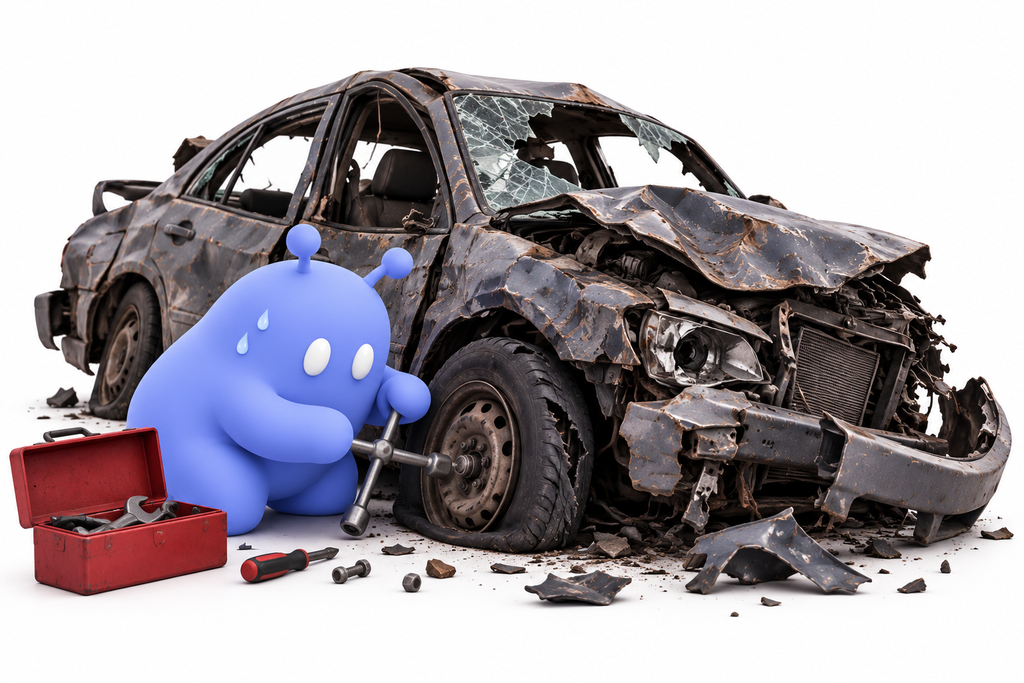
Here is the hard part. These dependencies are connected to each other. Updating one to fix a broken piece forces updates to others, and those updates break different pieces somewhere else. After more than a year and a half without updates, V1 had drifted so far from the current versions of its building blocks that there was no reliable path to bring it back without a chain of new breakages.
Repairing V1 properly would have amounted to rebuilding large parts of it. That would have taken our developers away from V2 for months, slowing down the improvements, fixes and support that every active CloseBot customer relies on. We were not willing to put the whole platform at risk to restart a version that had already been replaced.
How our team handled the move from V1 to V2
Retiring V1 was the final step of a migration we planned and communicated over more than a year. We always said we would keep it running into it broke beyond repair or the last person left… the former is what happened.
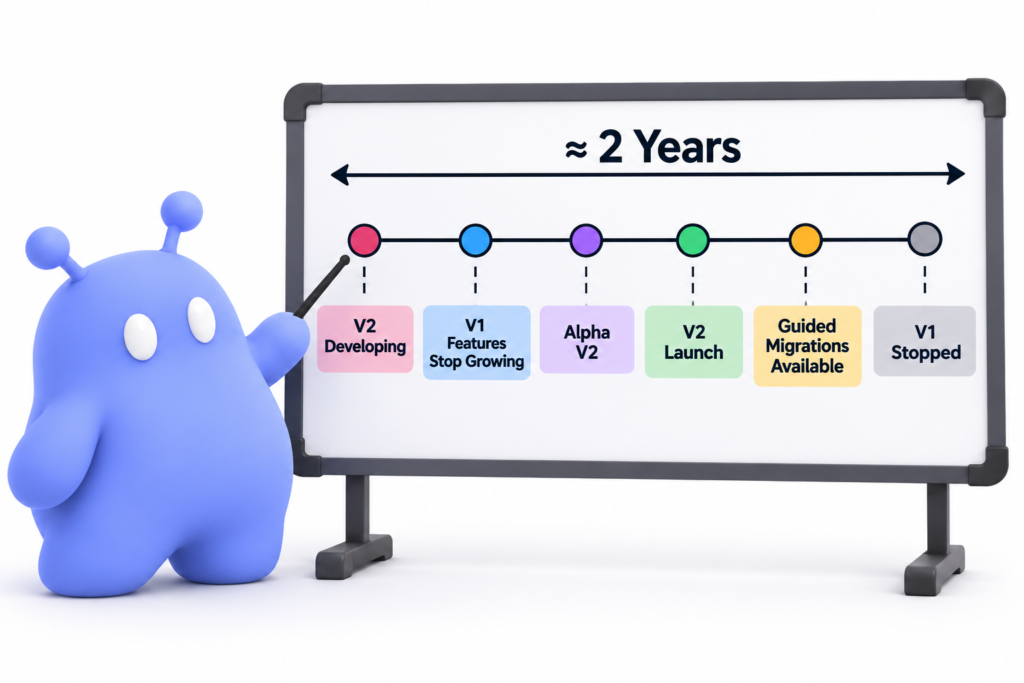
Here is the entire timeline:
November 2023: V2 development begins. We started building V2 as a completely new platform, with an original completion target of July 2024. Ongoing feature work on V1 pushed that date back.
October 2024: V1 feature development stops. To give V2 our full attention, we stopped adding new features to V1.
January 2025: The team grows. We expanded our development team to accelerate V2. This is also when V1 received its last meaningful updates that would keep it running as long as possible without intervention.
February 1, 2025: Alpha. A small group of users began testing V2 and giving feedback in a non-production environment.
April 7, 2025: Production Alpha. Alpha users began running real conversations on V2, and we carefully migrated them from V1 with service continuity as the top priority. Our developers stayed on standby to handle any migration issues.
April 30, 2025: Seniority Beta. Our longest standing paid customers got access first, followed two weeks later by other early paid accounts.
May 31, 2025: V2 public launch. V2 opened to all existing and new users. The migration button became available to everyone, and new V1 signups ended. V1 moved into maintenance mode with limited support.
July 2025: Guided migration. We published a step by step migration guide and video. Customers could migrate themselves or schedule hands-on help from our team. Remaining V1 credits transferred automatically to the new V2 wallet, and we added a $5 credit gift so V1 bots could keep running while customers tested and published their new agents. V1 bots stayed live until each customer chose to publish its V2 replacement, so nobody had to go dark during the switch.
Since launch: V2 keeps growing. Within three months of launch, V2 passed 500,000 booked appointments (nearly as many as V1 booked in its entire history), and it has had continuous updates ever since.
October 12, 2026: V1 stopped. After V1’s dependencies broke and a reliable repair was ruled out, CloseBot V1 was permanently shut down and app.closebot.ai now points here.
What this means for your account
If you had a paid CloseBot V1 account, you still have access to CloseBot. Your account is now a V2 account, and getting into it takes two steps.
Step 1: Register a new account on V2.
Step 1: Register a new account on V2. Your V1 username and password will not work. V2 uses a more secure authentication system, which means every former V1 customer must register new through the V2 sign up flow. You can use the same email address you used for V1.
Step 2: Ask Sales and Billing to link your account.
Step 2: Ask Sales and Billing to link your account. Once you are signed in, click the chat support widget in the bottom right corner of your account and reach out to our Sales and Billing team. Let them know you are a former V1 customer, and they will link your new login to your existing account and subscription. And connect you with a dev team member to pull your subaccounts into V2.
Do not purchase a new plan during registration. Your paid subscription is already there for you. If you skip this step and buy a new plan, you could end up paying twice, so wait for Sales and Billing to link your existing subscription.
V1 and V2 are built differently, so V1 bots do not run on V2 as they were. V2 uses AI Agents, which combine a visual Job Flow with a Persona, and it no longer relies on the custom GoHighLevel workflows many of you built around V1. That is where our team comes in. Reach out using the contact form on this page and we will help you understand your account and get your agents running on the new platform.
What you get with CloseBot V2
V2 was designed around what V1 customers asked for most. A single agent can figure out which product or service a lead is interested in and route them to the right calendar, which used to take separate bots and extra workflows. The visual Job Flow builder lets you see and adjust a whole conversation in one place, turning client adjustments that used to take days into minutes. You can choose between different AI providers for your Personas, run built-in follow-ups, test conversations before going live, and track results across every business you manage.
Customers who made the move often tell us the same thing. Many of the workarounds they built for V1 are now simply built into the product.
How to get help
If you have already registered on V2, the fastest route is the chat support widget in the bottom right corner of your account. Message Sales and Billing and they will link your account and subscription.
If you have not registered yet, or you have questions first, use the contact form below. Tell us the email on your V1 account and what you were using CloseBot for, and our team will follow up.
Frequently asked questions
No. Only CloseBot V1, also called CloseBot Classic, has been retired. CloseBot platform status can be monitored HERE. CloseBot V2 is our current platform and is actively developed and supported.
The outside software V1 depended on changed and broke V1’s code. Because V1 had gone so long without updates, those dependencies could not be updated reliably without breaking others, and repairing it would have pulled our developers away from V2 for too long.
Yes. Your paid account still gives you access to CloseBot, and that account is now on V2. You will need to register a new account through the V2 sign up flow, then contact Sales and Billing through the chat support widget in the bottom right corner of your account so they can link your account and subscription.
No. V2 uses a more secure authentication system, so V1 logins do not carry over. Everyone needs to register new on V2. After you register, contact Sales and Billing through the chat support widget and they will connect your new login to your existing account and subscription.
No, please don’t. Your existing paid subscription carries over. Register your new account, then contact Sales and Billing through the chat support widget and they will link your subscription to it.
app.closebot.ai was the home of CloseBot V1. It now redirects to this page. https://app.closebot.com/
No. V1 has been permanently retired. Our team can help you rebuild what you need on V2, which is where all new features and improvements are happening.
Register a new account on V2, then message Sales and Billing through the chat support widget in the bottom right corner of your account. If you need help before registering, use the contact form on this page.
A final word
“To everyone who built on CloseBot V1: thank you. You believed in this product early, you put up with its rough edges, and you showed us what it needed to become. Retiring V1 closes that first chapter, and we would love for you to be part of the next one. Register on V2, send us a message, and let’s get you set up.” – Bryce DeCora, Co-founder and CEO, CloseBot