


If you prefer to own your CRM code, let us tell you why and how CloseBot should still be your Sales AI of choice.
The own-the-code movement is real, especially amongst small and mid-sized businesses and agencies that aren’t bound by compliance requirements.
Search “HighLevel alternatives own the code” and you find real options…
- open source CRMs (several on GitHub)
- one-time source-code licenses (like Seedly)
- and the build-it-yourself route that got dramatically more viable with improved AI in 2026
The idea behind all of this is simple… Stop paying per seat. Stop getting a price-hike email. Stop having a feature you depend on break because it’s just one feature of many.
We are not going to argue with any of that. We integrate with HighLevel, we have a detailed comparison against their native Conversation AI, and we still think owning your CRM is a legitimate strategy for a lot of agencies.
What we want to talk about is the one component of that stack you should not build yourself, even when you are building everything else. Especially when you are building everything else.
Owning the Code Comes with Benefits and Drawbacks
Here is the honest version of the deal.
What you gain: no per-seat fees, no vendor roadmap, unlimited client sub-accounts without the bill moving, and the ability to ship the tweak a client asks for instead of begging via a feature request.
What you take on… you are now the support team, the QA team, the security team, and the person awake at 2am when a calendar integration changes its API. That is a real job, and we wrote a whole post about how AI coding agents quietly hand you technical debt while feeling extremely helpful about it.
There’s no magic to a CRM… no proprietary data that helps one CRM convert more revenue for you. It’s not that way for Sales AI
A CRM is mostly well-understood problems. Contacts, pipelines, fields, calendars, an inbox, a workflow builder. Every one of those has been built ten thousand times, the patterns are settled, and an AI agent writing that code is standing on a mountain of prior art. That is exactly why forking or licensing a CRM works so well right now.
NOTE: If you’re not the type who likes to tinker… or don’t have someone on your team who does, don’t vibe code any of your tech stack, including a CRM.
Conversational AI for sales is not that. At CloseBot we see 150,000 AI replies per day, and we are always testing things to see what moves the needle. Our users benefit from that data and testing… those who build themselves move further behind at rapid speed.
Why the sales AI is the one piece you should keep renting
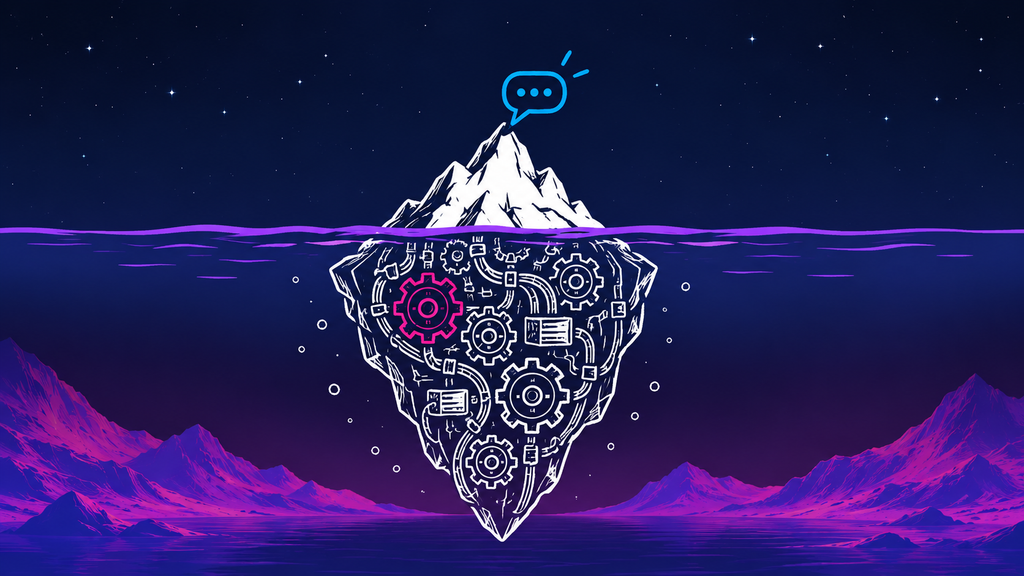
A booking bot looks like a small feature. Take a message, call a model, send a reply, book the slot. Four steps.
But it’s not just 4 steps. And each one of these things reveals itself eventually (already solved with CloseBot)…
Two inbound messages arriving three seconds apart should produce one reply, not two. A human teammate replying in the thread should pause the bot instantly, not after the next webhook. A retried webhook should not double-text a lead, which means idempotency on every inbound. A follow-up scheduled for Tuesday at 9am means 9am in the lead’s timezone, and the lead’s timezone is not your server’s. A model provider having a bad morning should fail over rather than go silent. An opt-out has to be honored everywhere, immediately, including in the follow-up queue that was already scheduled. Someone will be abusive to your bot and it needs to handle that gracefully. Someone will try to prompt-inject it. And every one of those messages costs money, so you need per-message cost control before you resell it to a client.
All of it is invisible until it happens in production, in front of a paying client, at which point you are debugging a distributed messaging system instead of selling.
And unlike a contacts table, when this has problems, you and your clients lose revenue.
“I’m an agency, I vibe code a lot of things… but I would never vibe code a CloseBot replacement. To get something 60% of the way there is possible, but I would lose so much revenue” – David (CloseBot User)
On performance, here is our honest framing. Across the volume we run, agents built on CloseBot tend to book meaningfully better than generic drop-in solutions, and the gap against self-built bots is wider still. Our own directional read is somewhere around 20% better on average versus other platforms, and closer to 30% versus self-built. For now these are internal estimates rather than published findings.
What we can point at if you want real numbers is our benchmark study across 1.1 million booked appointments, where the findings that shape our defaults live. Those findings ship into the product as defaults and system-level prompting, which means a CloseBot agent starts with a decade of accumulated pattern-matching baked in. A bot you write from scratch starts at zero and learns the same lessons on your clients.
Any CRM can integrate with CloseBot
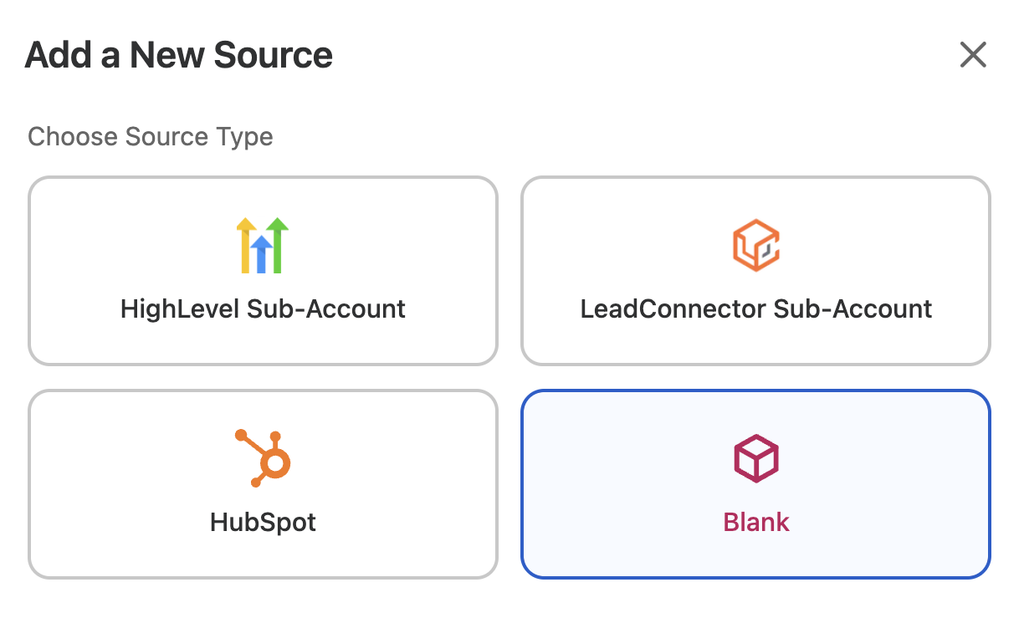
This is the part people do not realize is available… CloseBot can integrate with CRMs other than just HighLevel and HubSpot. Do this by utilizing our Blank Source and Custom Tools (your AI Agent can use our API to do this for you).
Blank Source is the entry point. Rather than a native GoHighLevel or HubSpot connection, you create a Blank source, which is a source with no CRM assumptions attached. From there you pick a channel. The Webhook channel is what connects it to your own application, and CloseBot’s own chat widget is available on the same source if you want the bot on a website too.
Custom Tools are how the agent reaches into your data. Each custom tool is one HTTP call built through a four-step wizard: name and description, the API connection itself, a live test that learns the response shape, and Restrict View, which decides what the model is allowed to see out of the response. That last step matters more than it sounds, since hiding internal IDs and duplicate copies of the same record is how you stop a model picking from the wrong list.
If you want the full hands-on version with screenshots, Andrew Lee Jenkins wrote a genuinely excellent walkthrough of building an AI appointment setter against his own CRM’s REST API, including the API scoping decisions, the bugs that cost him an afternoon, and the tool-by-tool ordering. It is the best thing written on this and we would rather point you at it than paraphrase it.
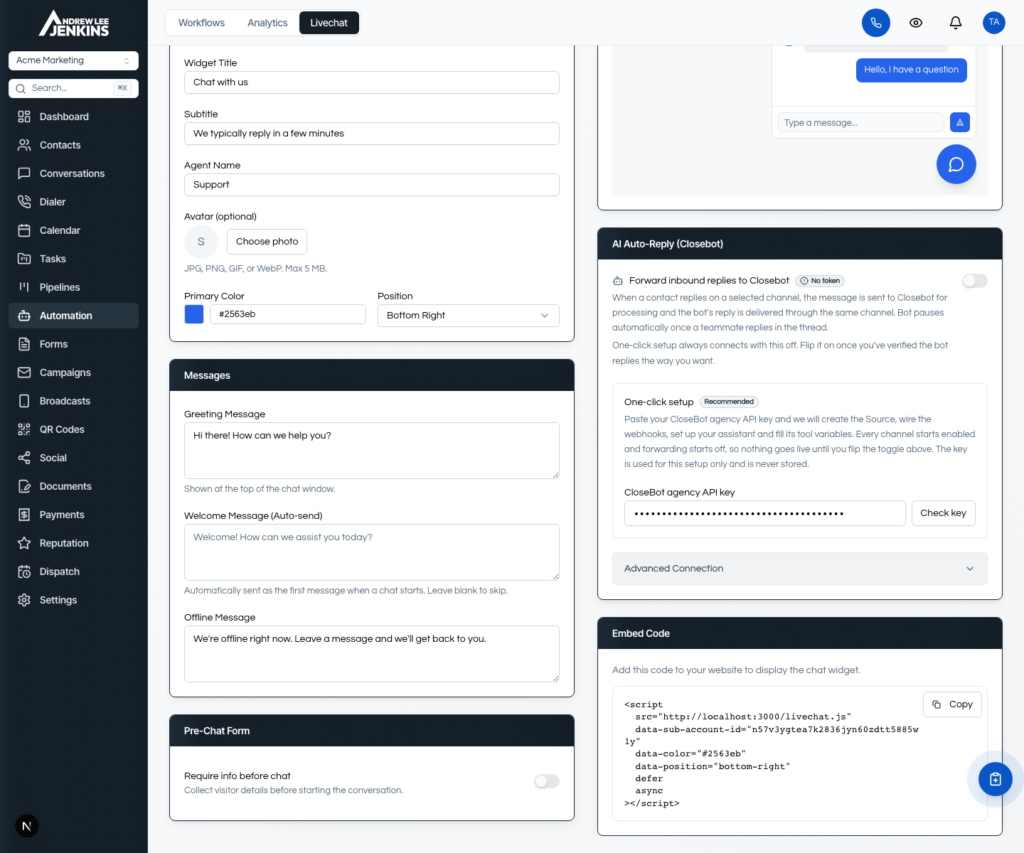
See a screenshot of the native integration he made available for users below. More on this later.
Your AI agent can do the wiring
Since you are already building with AI, the natural question is whether your coding agent can set this up rather than you clicking through wizards.
It can. CloseBot has a full public API at developers.closebot.com, and it covers the setup work: creating sources, wiring the webhook channel, and building tools. Hand your agent the docs and your own API reference and it can connect the two sides. This is the correct use of an AI coding agent in this story, by the way. Integrating two documented APIs is exactly the kind of well-specified task it is good at. Inventing a conversational messaging system from scratch is not.
Coming next: we are building a CloseBot MCP server, targeted for November, so your assistant can query and manage things conversationally instead of through raw API calls. It is scheduled after our Analytics release, because the analytics endpoints are the data layer the MCP server sits on top of. Interface after substrate, not before.
Vibe Solution Success Story: Seedly CRM
If you want the owned-code CRM without starting from an empty repo, Seedly CRM is the cleanest example of this model working.

Andrew Lee Jenkins runs a home-service marketing agency in Virginia, ran it on HighLevel for a year as a certified administrator, got tired of paying monthly to be someone else’s QA, and built the CRM he wanted instead. Then he packaged the source code. It is a one-time purchase, self-hosted, with an agency-to-brand-to-sub-account structure built for the agency model, unlimited seats, and no per-client fee. Contacts, pipelines, unified inbox, workflow automation, calendars and booking, invoicing, documents and e-sign, reputation, social. Shallow where it needs to be, complete where it counts.
And then you buy it and vibe code to your heart’s content, which is the actual appeal. You own the codebase, so the feature a client wants that no SaaS will ever ship is now a thing you can build on a Saturday.
Here is the part relevant to this post: Seedly ships a one-click CloseBot integration. Under the AI Auto-Reply panel on the Livechat settings page, you paste your CloseBot agency key and the CRM does the rest. It creates the assistant in CloseBot, imports the packaged booking assistant, publishes it, personalizes it with that sub-account’s business details, wires every tool variable, and test-fires the whole path before telling you it is done.
I tried a few I didn’t like. Really liked CloseBot and wanted to make sure the best was available natively for our users. So I didn’t build it, I integrated it – Andrew
Everything described in the section above, built by hand, in one API Key and one click. Connect CloseBot
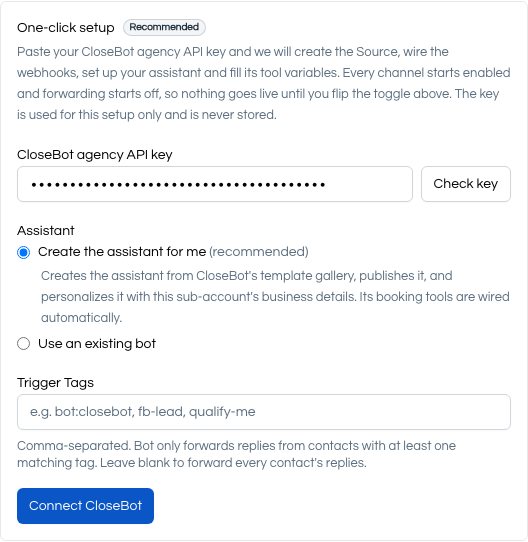
On Seedly’s backend this…
- Creates a blank source in CloseBot
- Creates an AI Agent from the Seedly Template (complete already with Custom Tools)
- Sets up the Webhook mapping for the Blank Source channel to your CRM
- Connects the Blank Source to the Agent
- Publishes the Job Flow so it’s ready to reply
- All that remains is for you to toggle ON from within Seedly
So here’s an option for those of you who love to tinker… Own the CRM, because a CRM is a solved problem and owning it removes a landlord. Plug in the sales AI, because conversational AI for sales is not solved, it changes every quarter, and the cost of getting it wrong lands on the client who pays you.
Start on your own API today
CloseBot has a free tier, so you can wire a Blank source to your CRM, and see the thing hold a real conversation before you pay anything. Custom tools require a paid plan, but you can get most of the way through the build first.
Start free at closebot.com, or if you would rather see the whole build laid out step by step first, Andrew’s walkthrough is the place to start.
Frequently asked questions
Yes. CloseBot connects to any CRM through a Blank source paired with its Webhook channel, which requires no native integration and makes no assumptions about the CRM behind it. Custom tools then let the AI agent call any HTTP endpoint your CRM exposes, so a self-hosted, forked or fully custom-built CRM integrates the same way a commercial one would.
Building the CRM and building the sales AI are different risk profiles. A CRM is a well-understood problem with settled patterns, which is why forking or licensing one works. A conversational AI for sales has to handle message batching, human handoff, webhook retries and duplicate sends, timezone-correct follow-ups, model failover, opt-out propagation and per-message cost control, and the underlying models change every few months, so it never stops needing work.
A Blank source is a CloseBot source created without a native CRM connection, intended for non-native integrations and standalone use. After creating one you choose a channel: the Webhook channel connects it to an external application such as a custom CRM, and CloseBot’s own chat widget can run on the same source. Agencies should create one source per client sub-account rather than one per agency.
Each custom tool is a single HTTP call the AI agent is allowed to make, built through a four-step wizard: name and description, the API connection with method, URL, headers and parameters, a live test that learns the response shape, and Restrict View, which controls what the model can see in the response. Custom tools require a paid CloseBot plan and work against any documented API.
Yes, and the options fall into three groups: open source CRMs, one-time source-code licenses such as Seedly CRM, and building from scratch. Owning the code removes per-seat fees and vendor roadmap risk. The trade is that you become the support, QA and security team, so the practical question is which parts of the stack are worth owning rather than whether ownership works.
Yes. Duplicating a job flow in CloseBot also duplicates the custom tools attached to it, so agencies deploying the same setup across multiple client sub-accounts build the tool set once and duplicate rather than rebuilding it per client. This is the main reason to get the first client’s flow right before rolling out to the rest.
Seedly CRM ships a one-click CloseBot setup. In the AI Auto-Reply panel of the Livechat settings, you paste your CloseBot agency key and Seedly creates the assistant, imports the packaged booking assistant, publishes it, personalizes it with the sub-account’s business details, wires the tool variables and test-fires the path. It performs the same setup a manual build does, without the manual build.
Workflow automation fires predetermined sequences; conversational AI for sales holds a two-way conversation, handles objections, qualifies against criteria and books against real availability. They work together rather than overlapping: automation decides when a lead enters a flow, and the AI agent handles the conversation that follows, then writes results back to the CRM through the same API the automation uses.
Yes, and it is a good use of one. Connecting two documented APIs is a well-specified task, which is where AI coding agents perform well. Provide your agent with the CloseBot API docs at developers.closebot.com along with your own CRM’s API reference, and it can create the source, wire the webhook channel and build the custom tools against your endpoints.